
Features
Twelve features. Each one shown, not described.
The screens below are from the demo film. Every label, button and status is the app's own; every firm, client and figure is fictional.
01
Task Board & Workflows
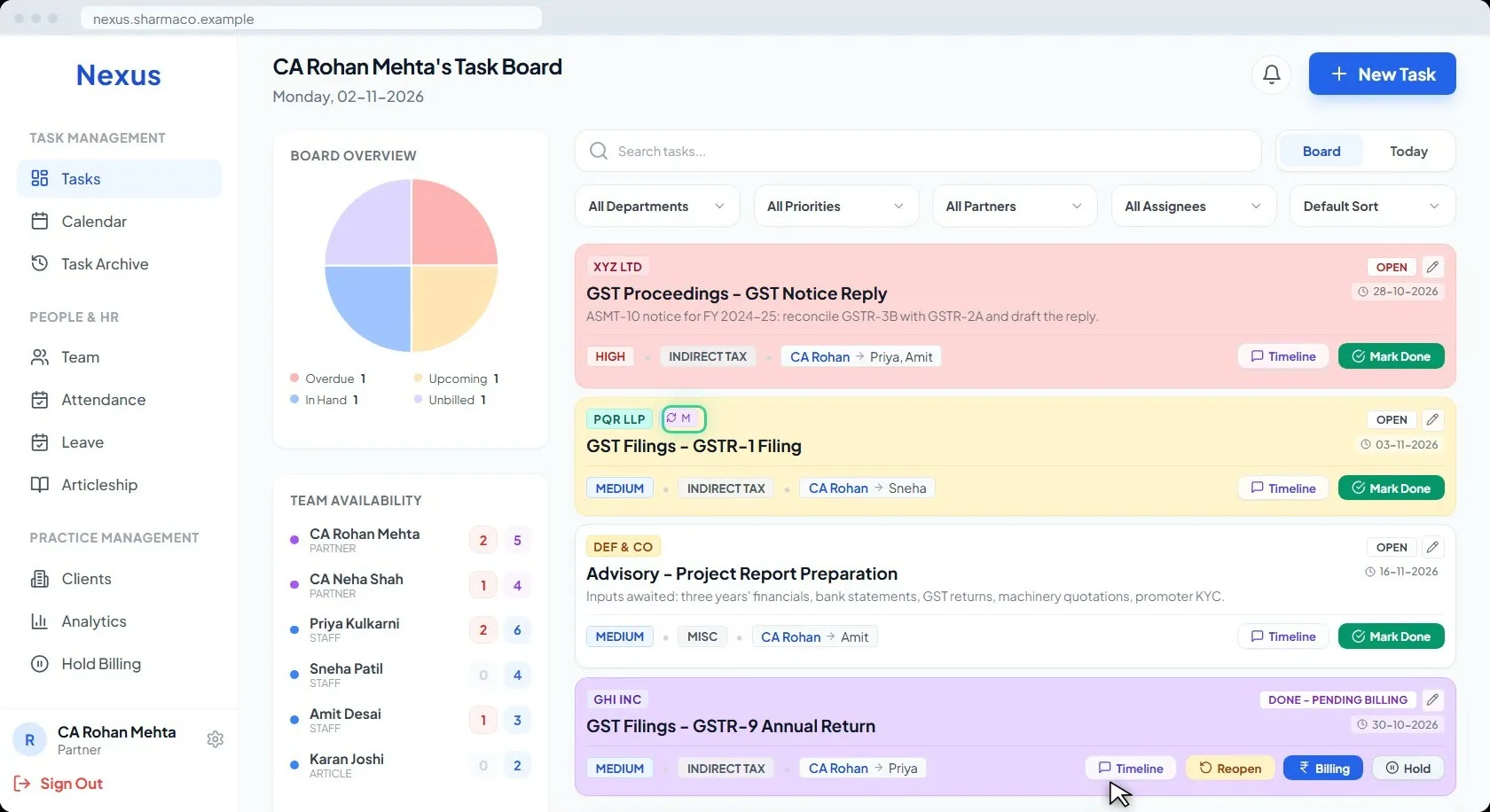
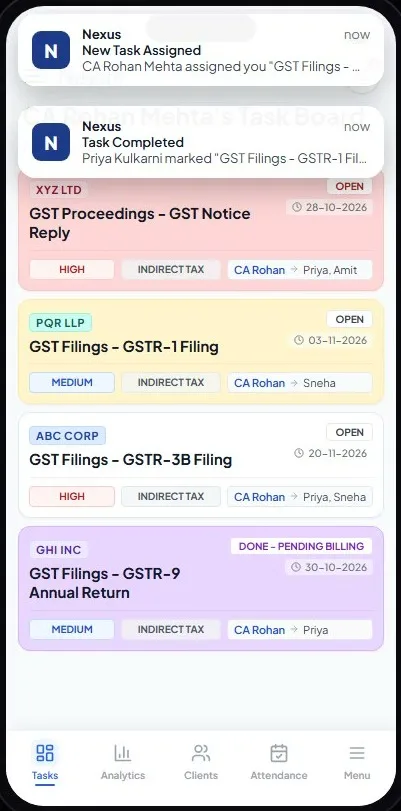
Every open task on one board, coloured by its state.
A task is created once, with its client, department, partner and team. The board shows the state of the work at a glance: red is overdue, yellow is due within two days, white is in hand, purple is done but not yet billed.
Recurring filings carry their badge and repeat on their own, monthly, quarterly or yearly. Every card shows its priority. Filters by department, priority, partner and assignee narrow the board to what you want to see.
02
Revenue Analytics
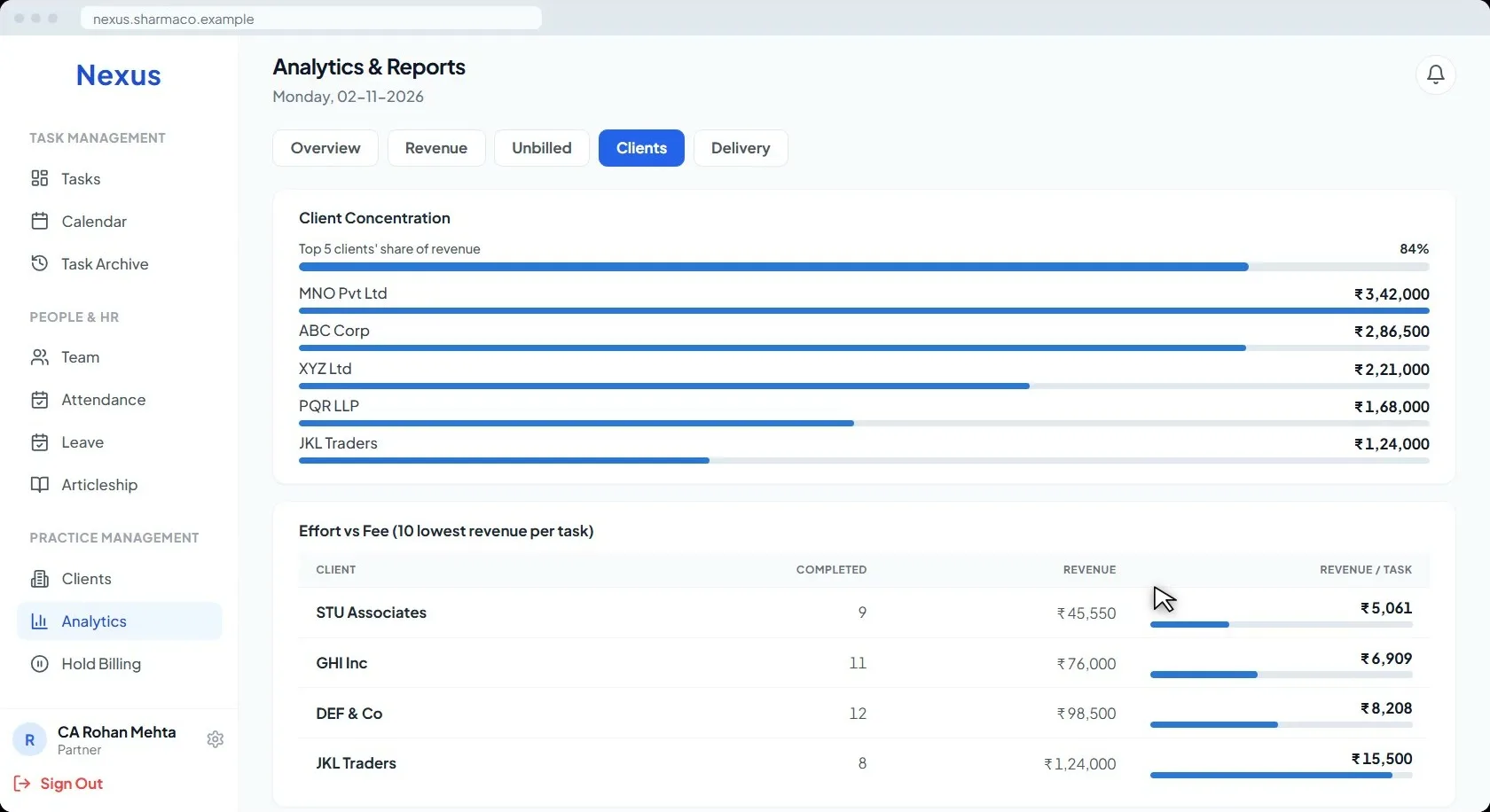
Partner revenue, client concentration and effort against fee.
Each partner sees their revenue month by month against last year, and the share from every invoice lands there the moment it is recorded.
The client view shows how much of the revenue sits with the top five clients and lists the ten lowest revenue-per-task clients, so you see who actually pays for your time.
03
Client Repository
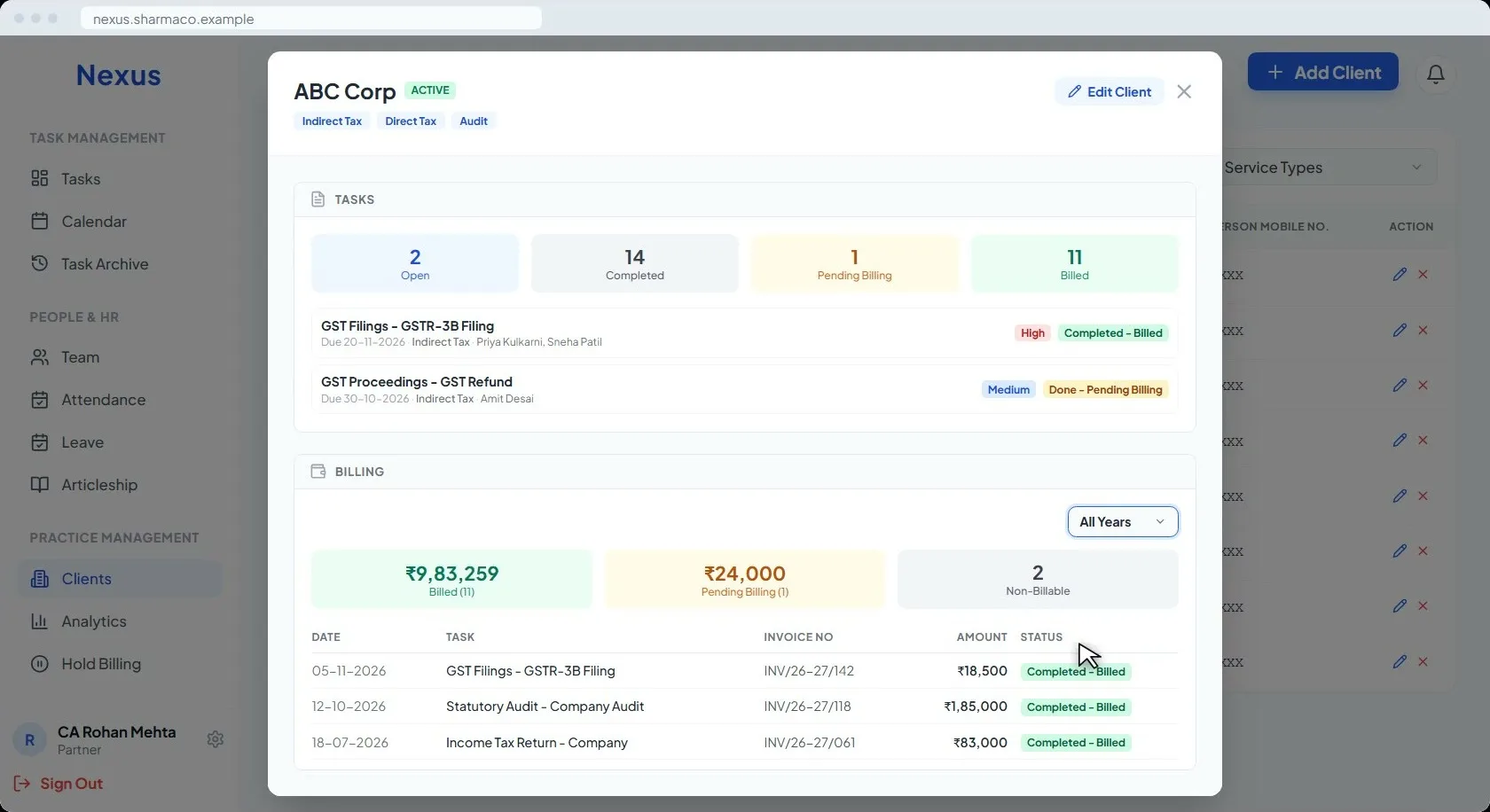
PAN, GST, contacts, every task and every invoice per client.
One profile per client with its PAN, GSTIN and contacts, the tasks open, done and billed, and every invoice by financial year or across all years.
Clients come in from an Excel template in bulk, and duplicates can be merged.
04
Team Management
Partners, staff and articles, with their roles and workload.
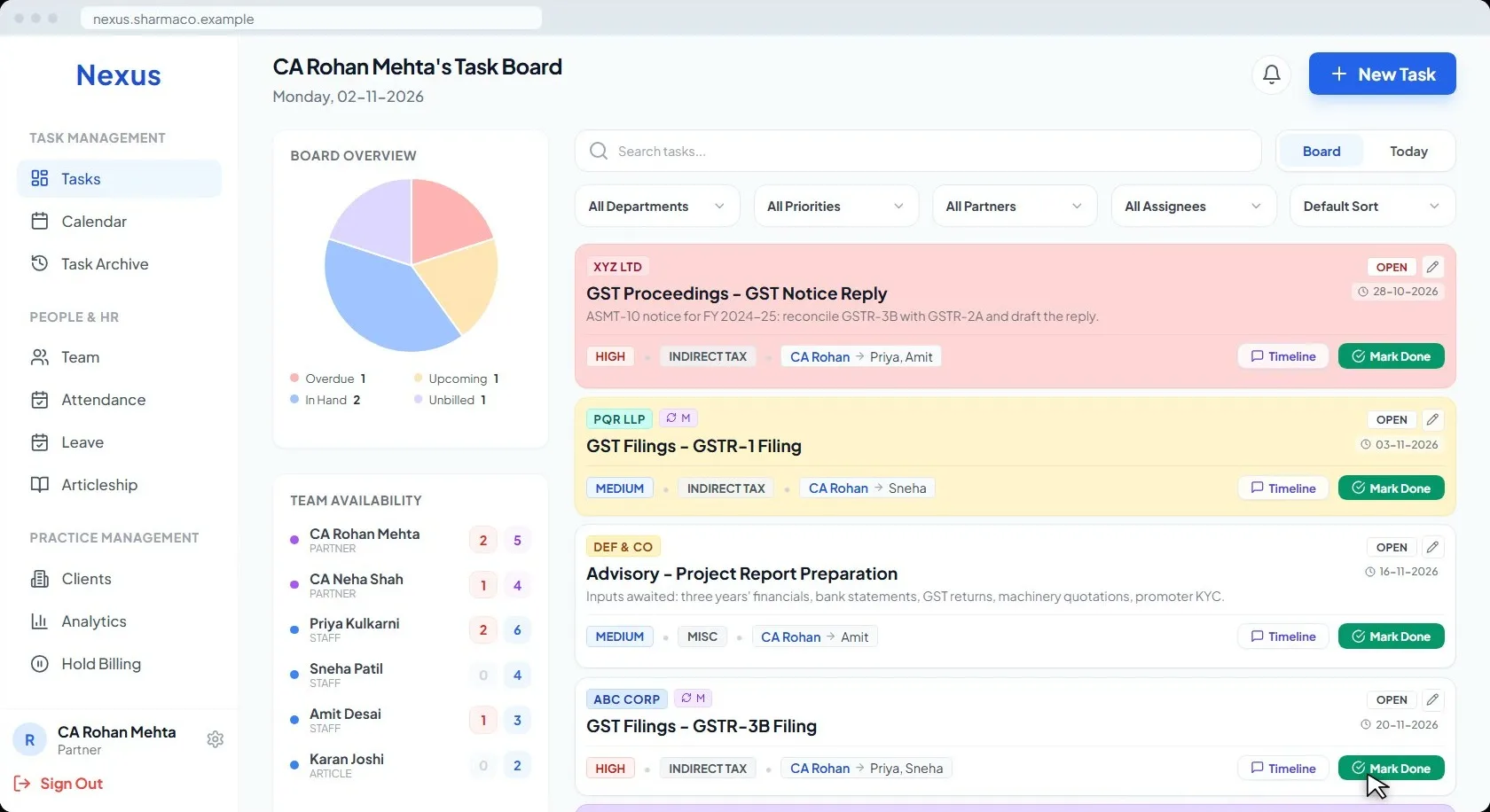
Every partner, staff member and article with their role, and the team availability panel on the board showing open and done counts for each person.
05
Smart Attendance
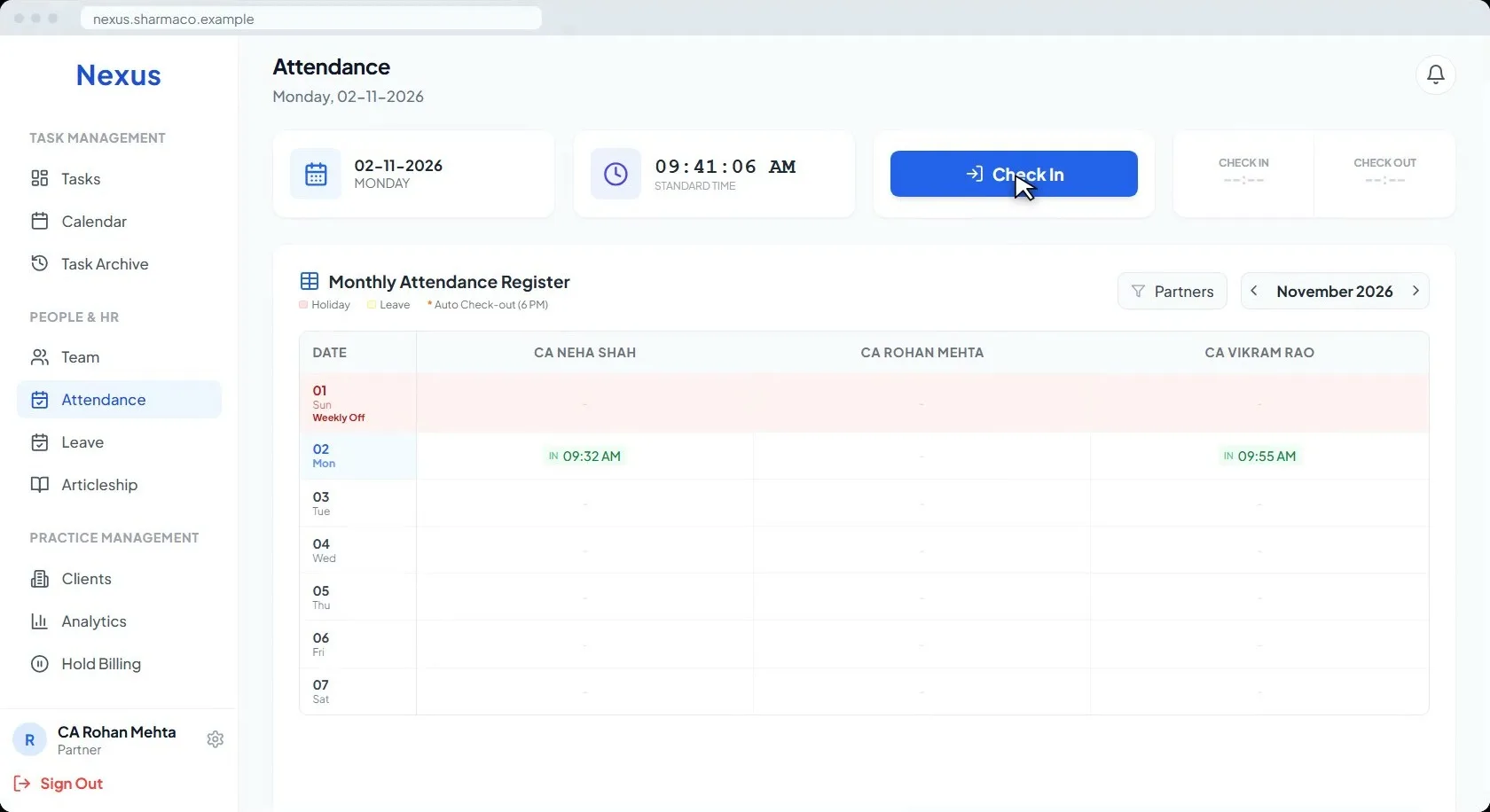
One tap to check in, a monthly register, a reminder at noon.
Attendance in one tap from the phone or the desktop, a monthly register per person, and a reminder at noon for anyone who forgot.
06
Leave Workflows
Apply, approve, and track quotas.
Staff apply from the app, the partner approves, and the quota is tracked. Weekly offs and the firm’s own holiday list are set once in the settings.
07
Articleship
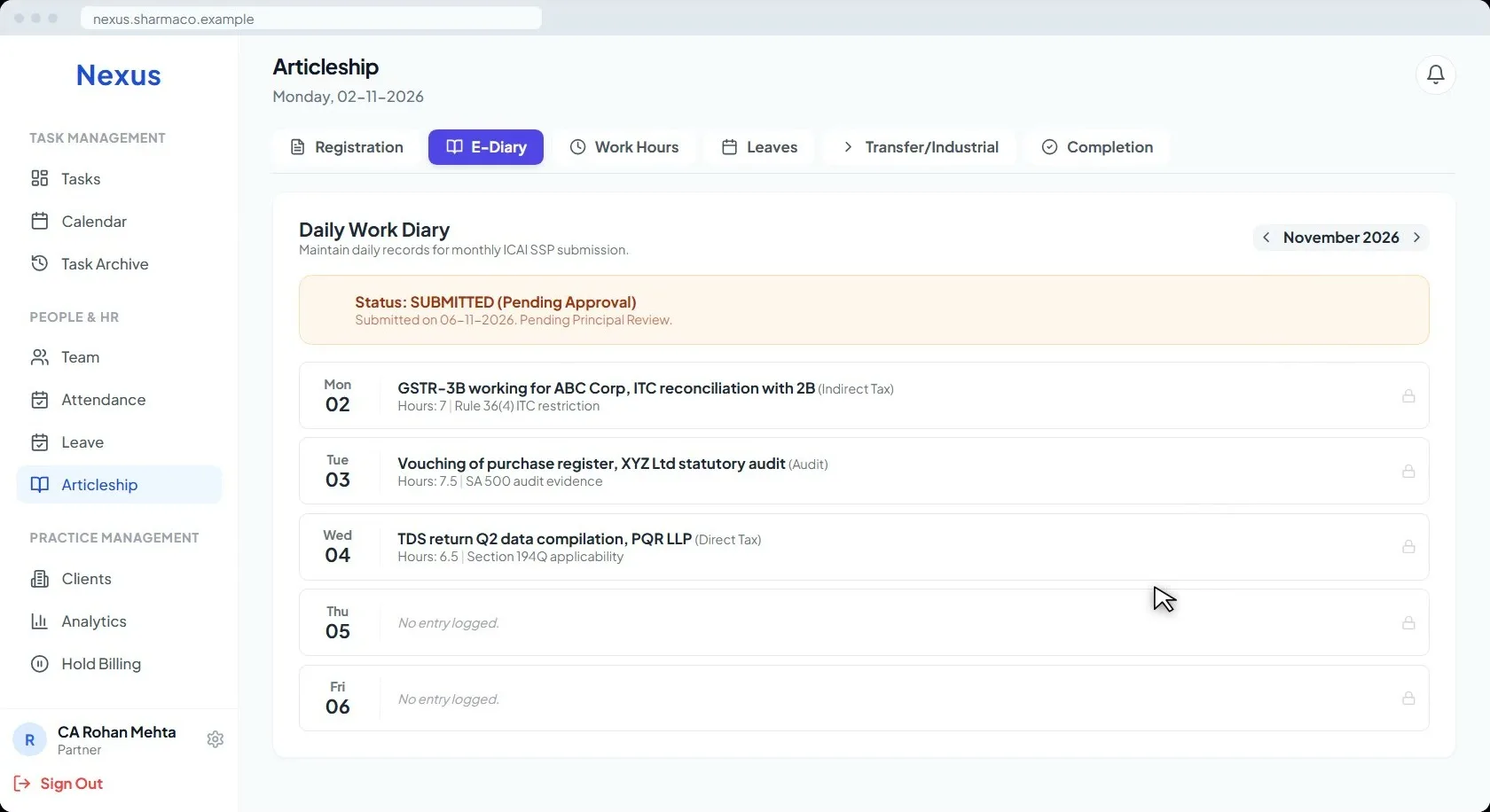
E-Diary and ICAI compliance, submitted from the app.
Articles keep the daily work diary in the app and submit it for approval; the partner reviews and approves it there.
08
Billing Tracker
Done is not closed. It is Pending Billing.
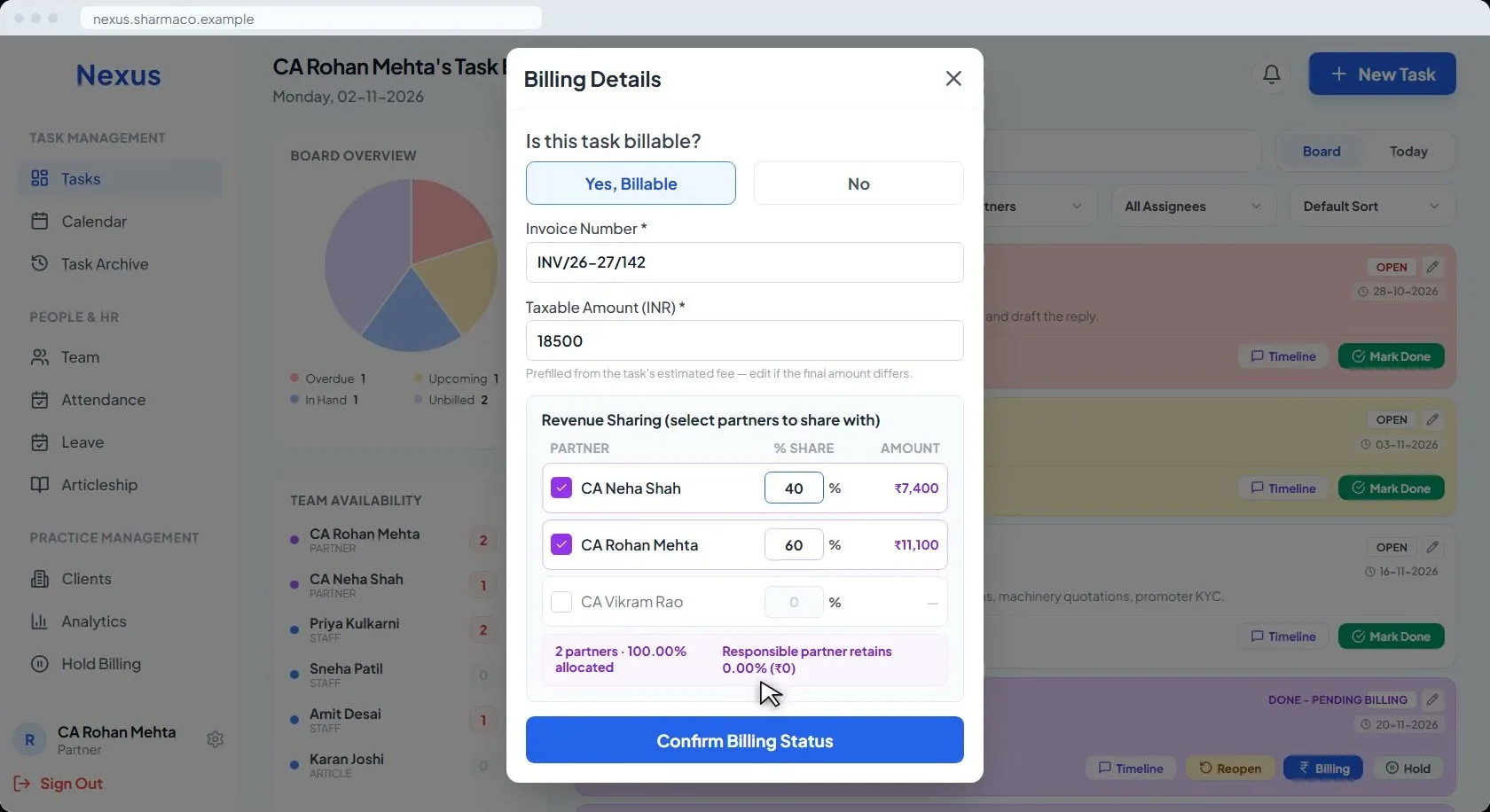
When the work is done, the task does not close. It asks for the fee and moves to Pending Billing, where it stays until someone bills it.
Billing is recorded on the task itself: invoice number, taxable amount, and the partner split in the sharing ratio you set. Only then does the task leave the board, and it stays in the archive with its invoice number for as long as you keep the firm.
09
Maker-Checker & Audit Trails
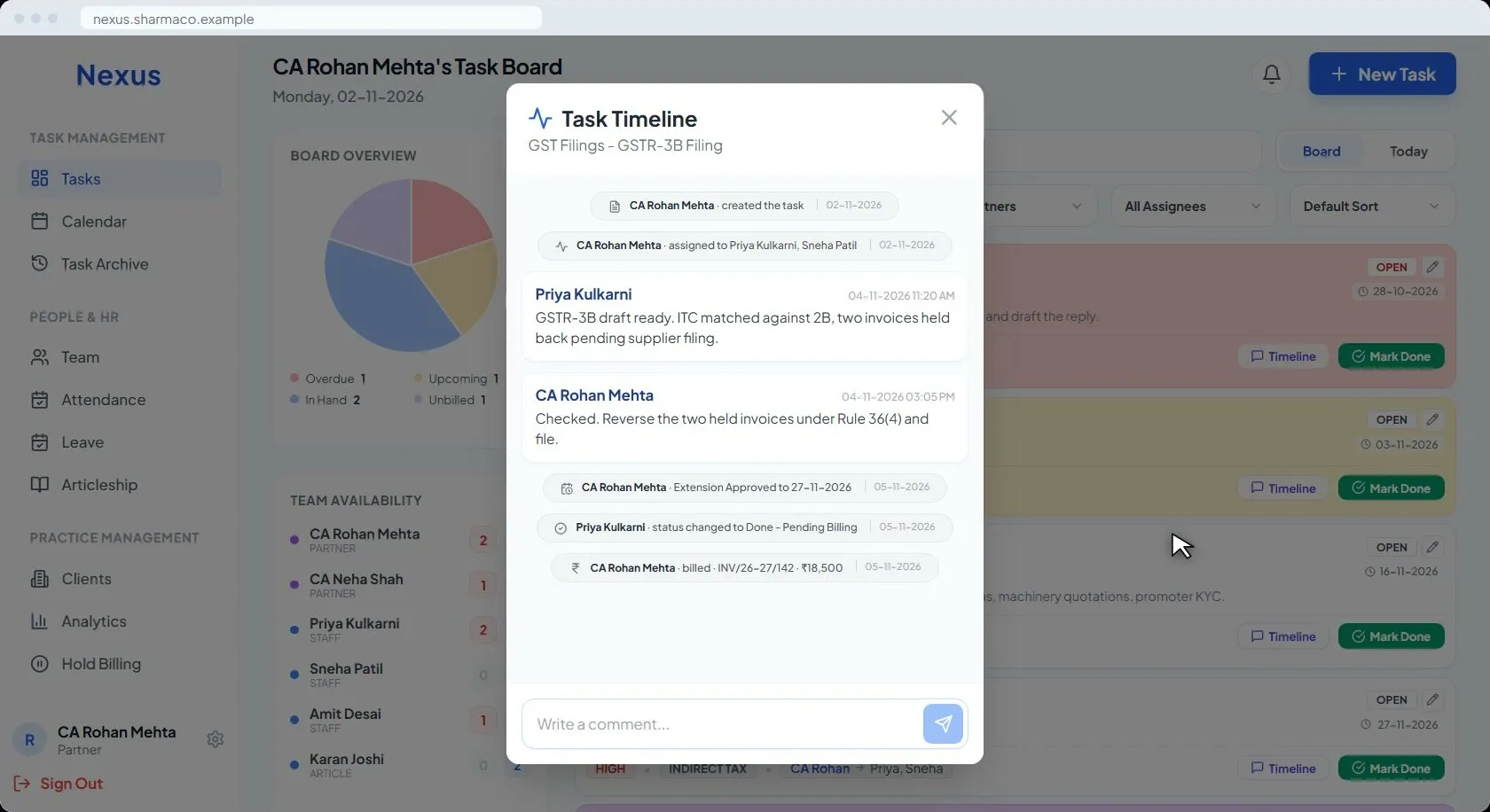
Who did what, and when, on every task.
Every task names its responsible partner and its makers. A due date moves only when the partner approves the extension request.
Every action is logged with who did it and when: creation, assignment, comments, approvals, status changes and billing.
10
One App, Every Device
Cloud-based. Android, iOS, tablet or desktop.
Nexus runs in the cloud, so you open it anywhere, on any device. Push notifications arrive when a task lands on you, when one is completed, when attendance is missed and when leave is requested.
11
Enterprise-Grade Security
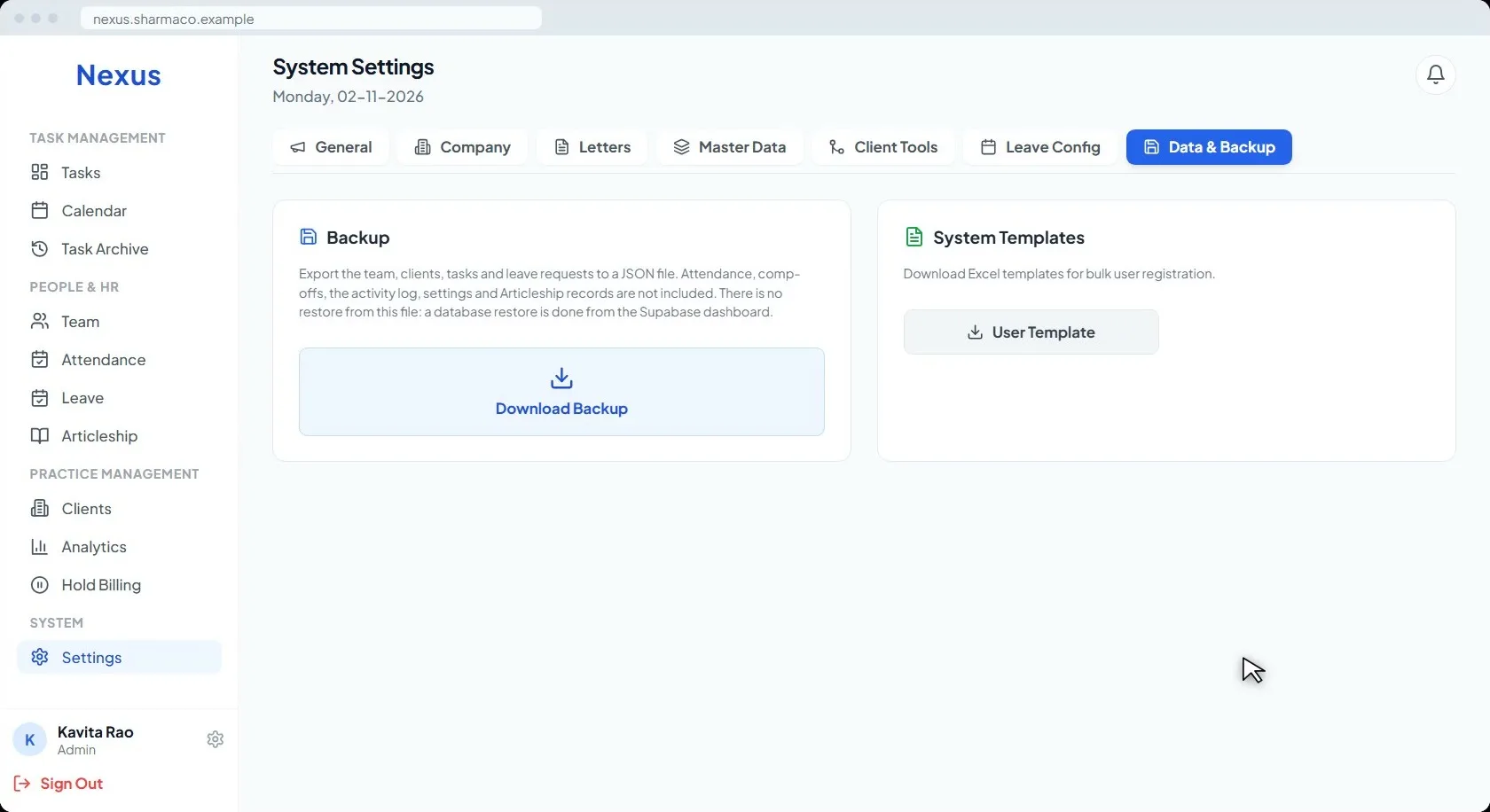
AES-256 encryption. A backup out whenever you want it.
Data is protected with AES-256, enterprise-level encryption. The whole dataset, team, clients, tasks and leave, downloads as a backup whenever you want it.
12
Letters & Onboarding
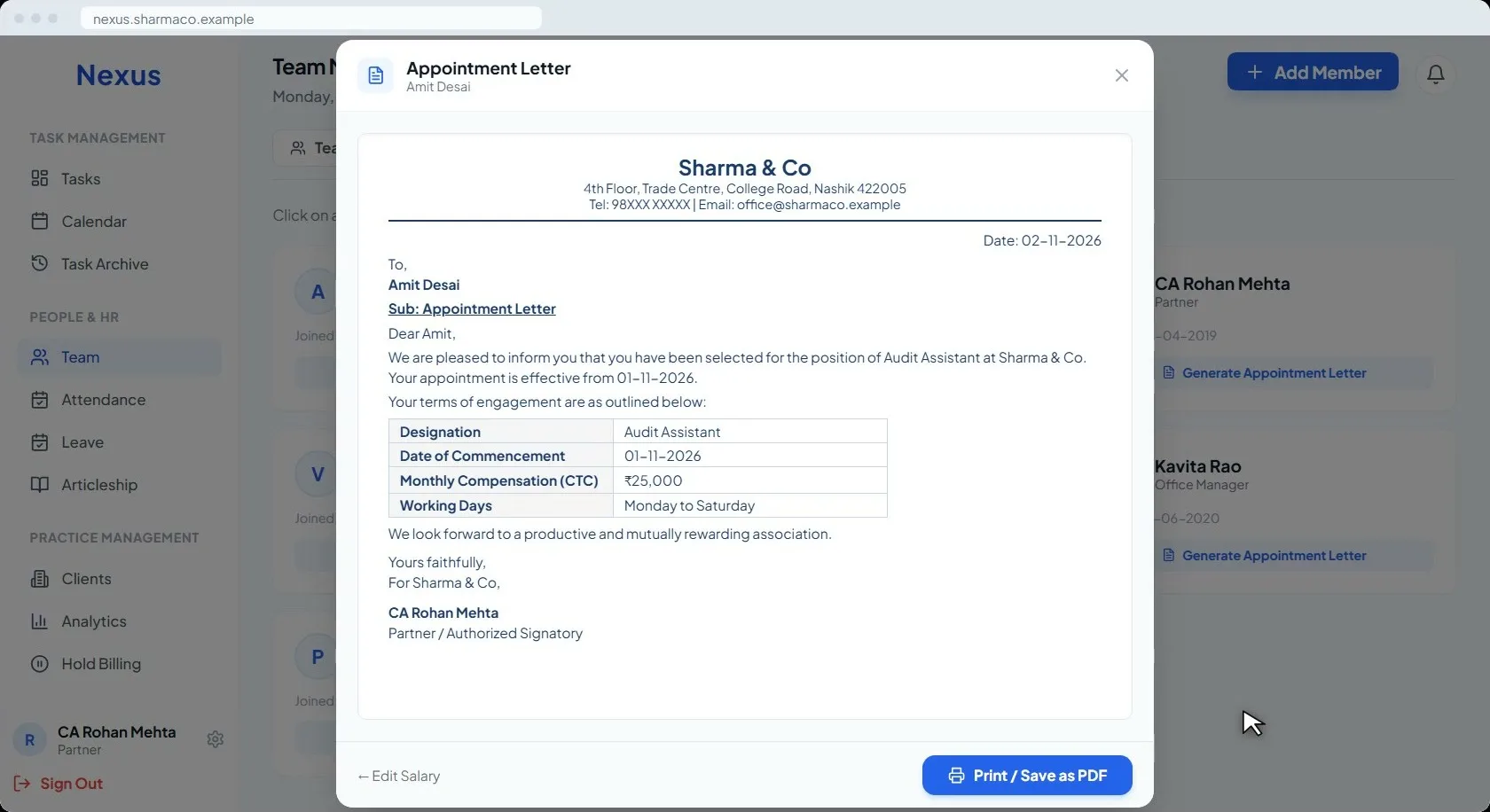
Appointment letters from your own template.
Onboarding writes the appointment letter from your own template: firm name, date, designation and salary terms, signed by your partner. Print it, or save it as a PDF.
And the rest of the day
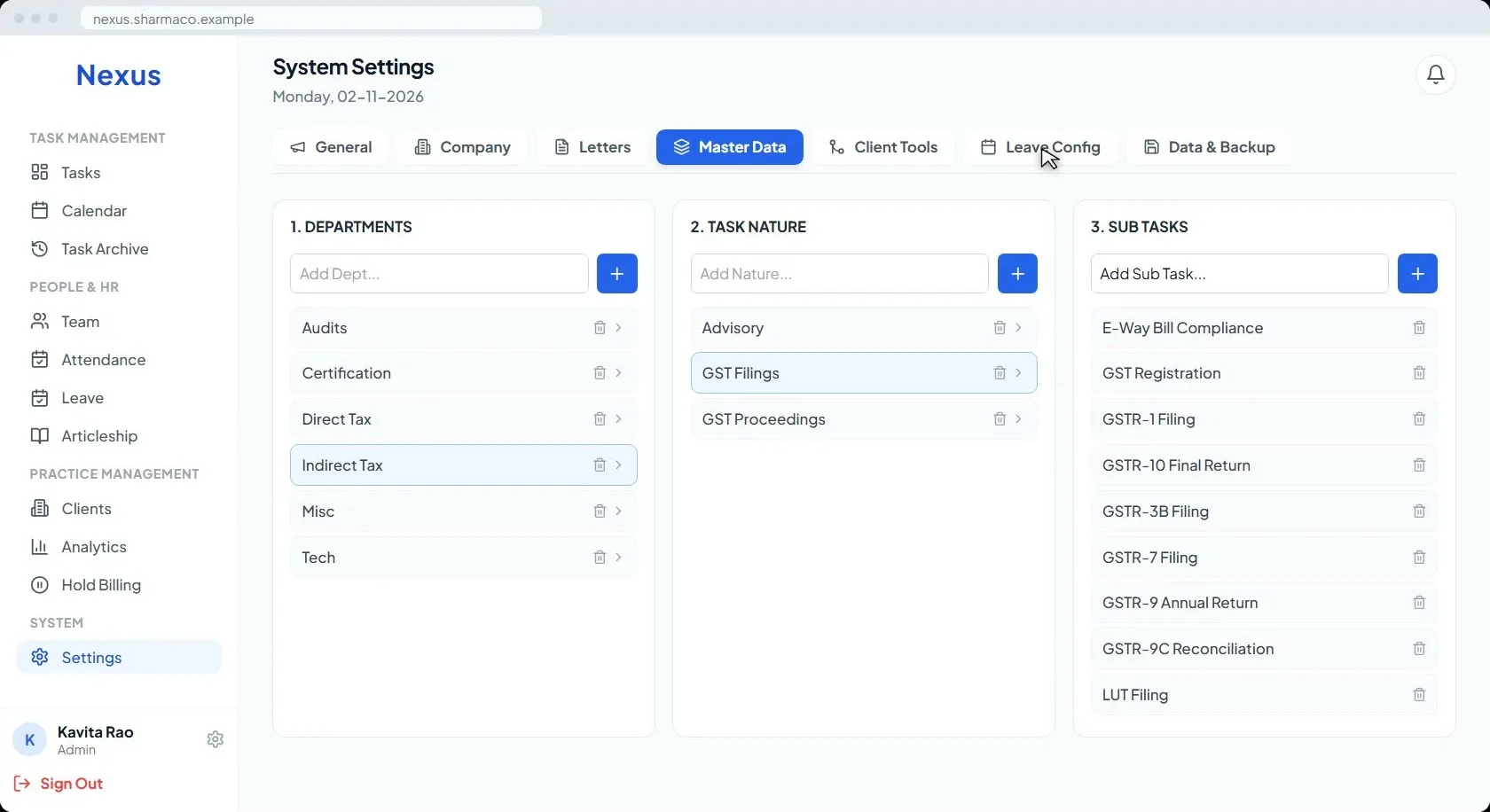
Your Firm, Your Structure
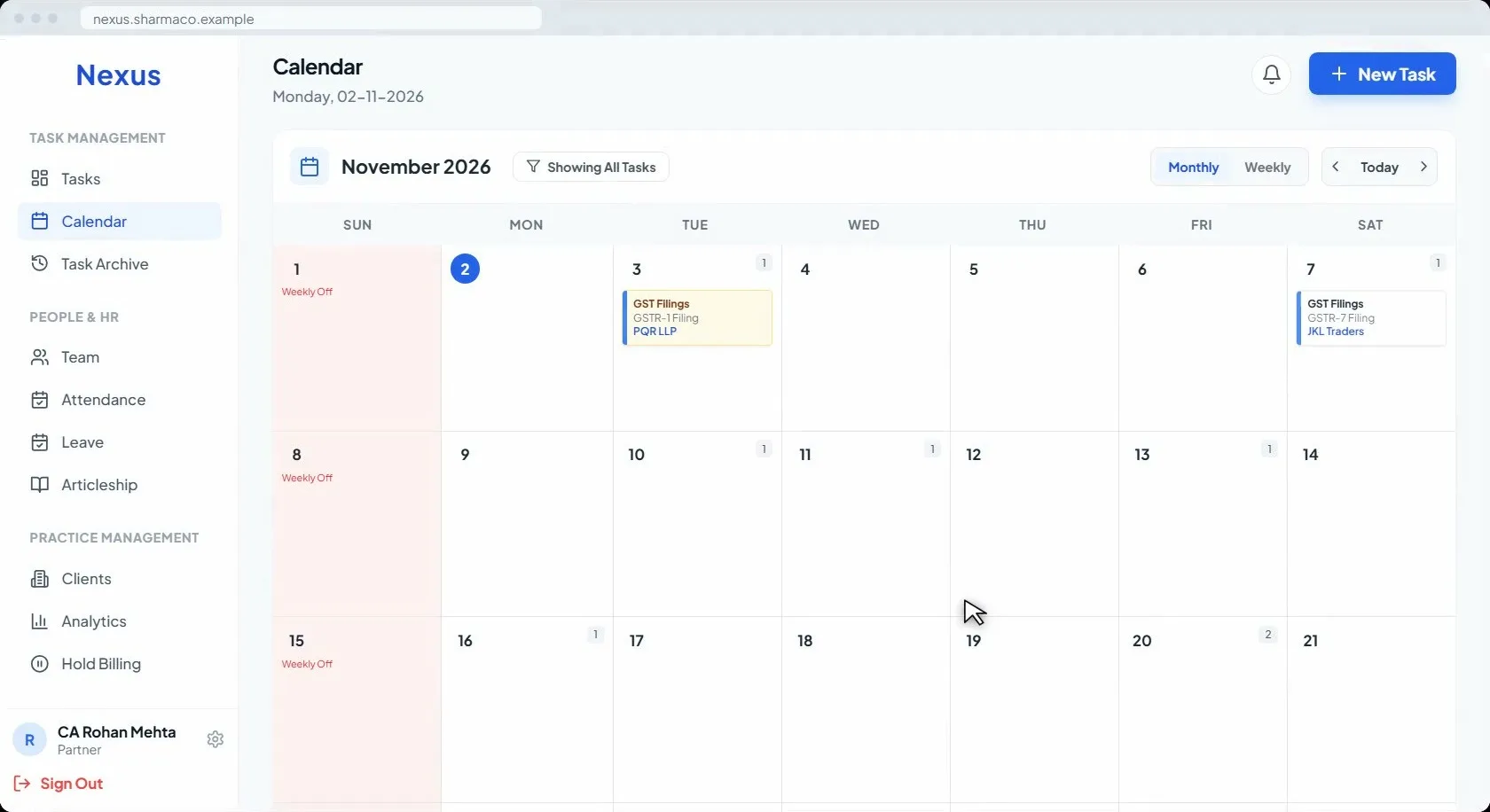
Calendar & Task Archive
Next step
See it on your own kind of work
A walkthrough takes twenty minutes. Tell us the size of the firm and what you file most, and we will show you Nexus doing that.